Report Message
Cybercriminals use email, text messages, and phone calls to trick you into providing your personal information or the personal information of others. To report phishing email, please use the 'Report Message' feature in LoboMail.
Click a category to expand.
Outlook for Android
To report junk email using Outlook for Android, follow the three (3) steps below:
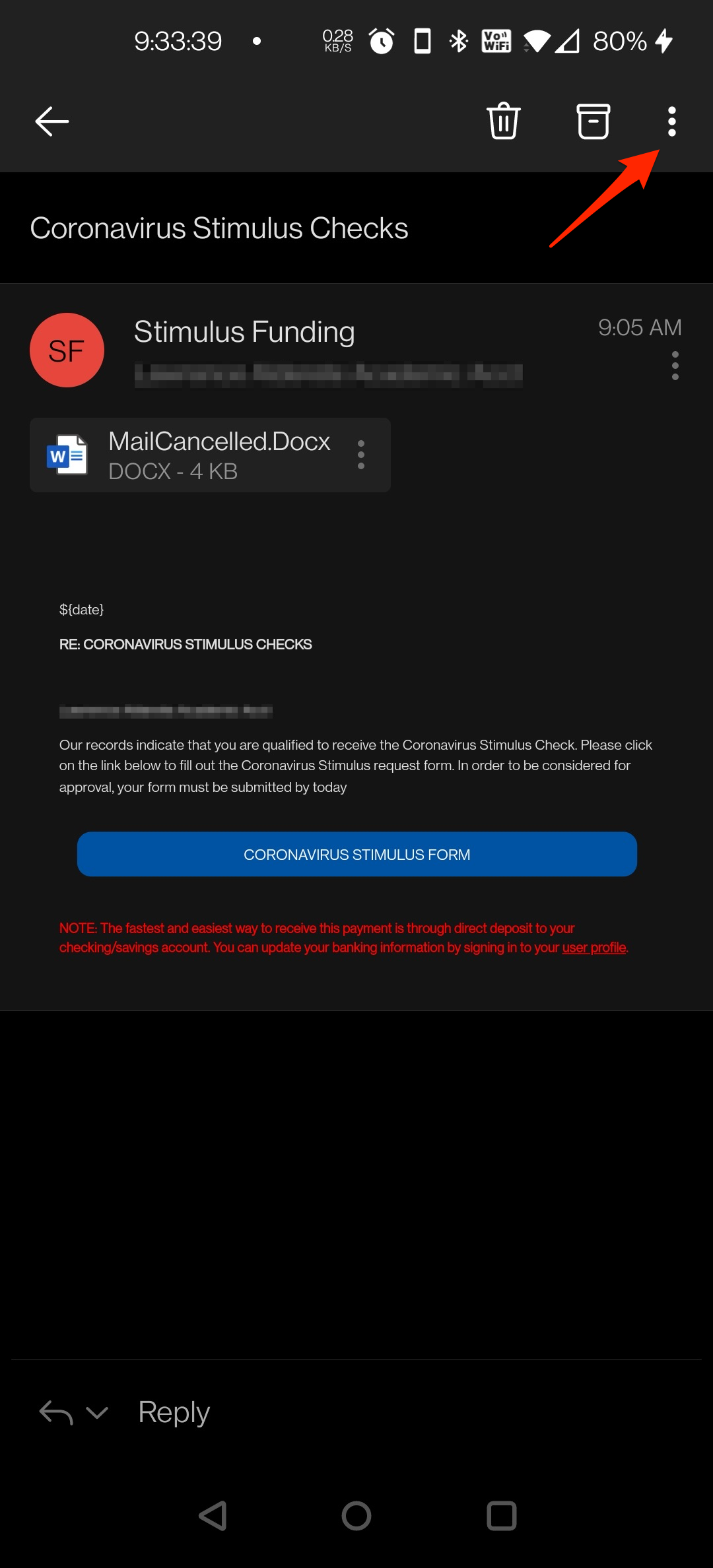
Step #1
Select the vertical ellipsis (three vertical dots)
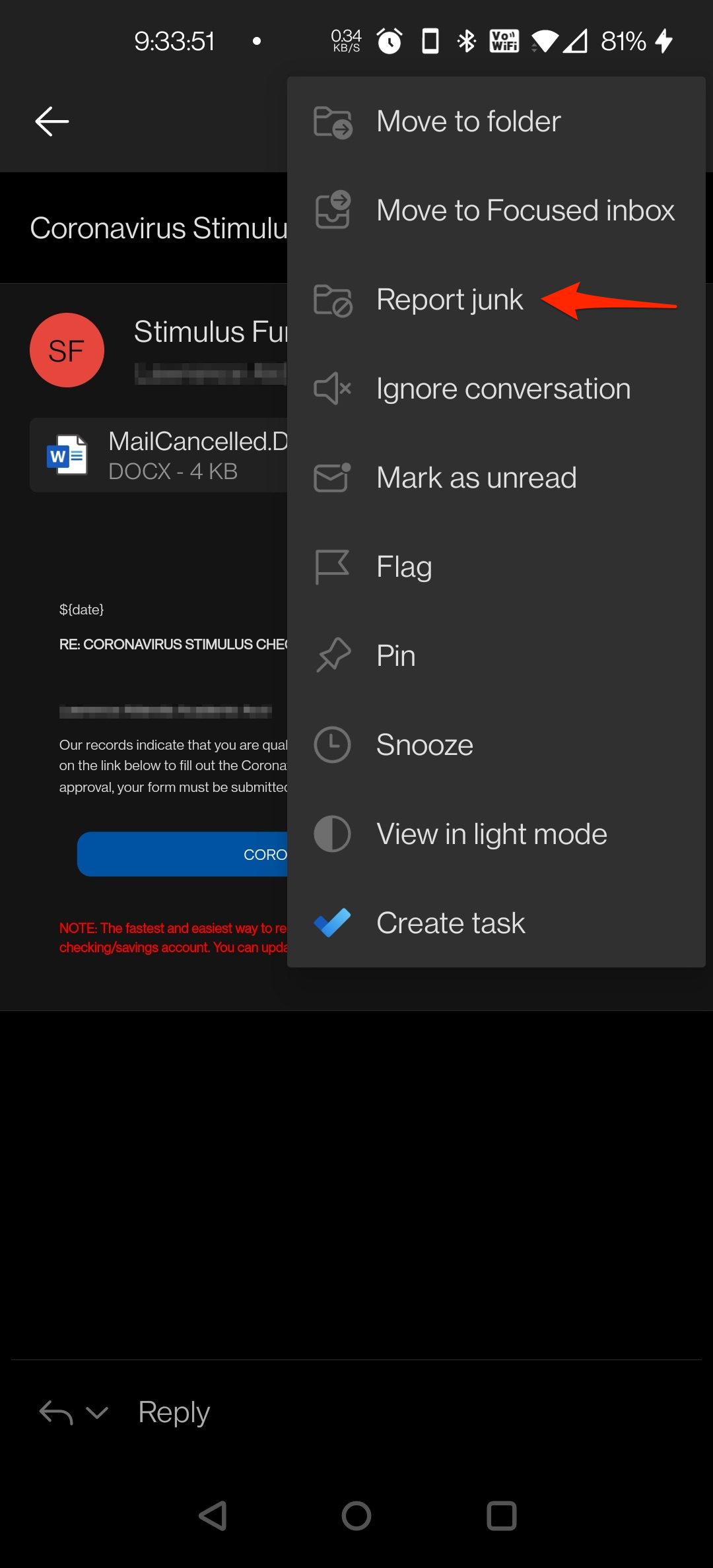
Step #2
In the context menu, select the 'Report junk' option
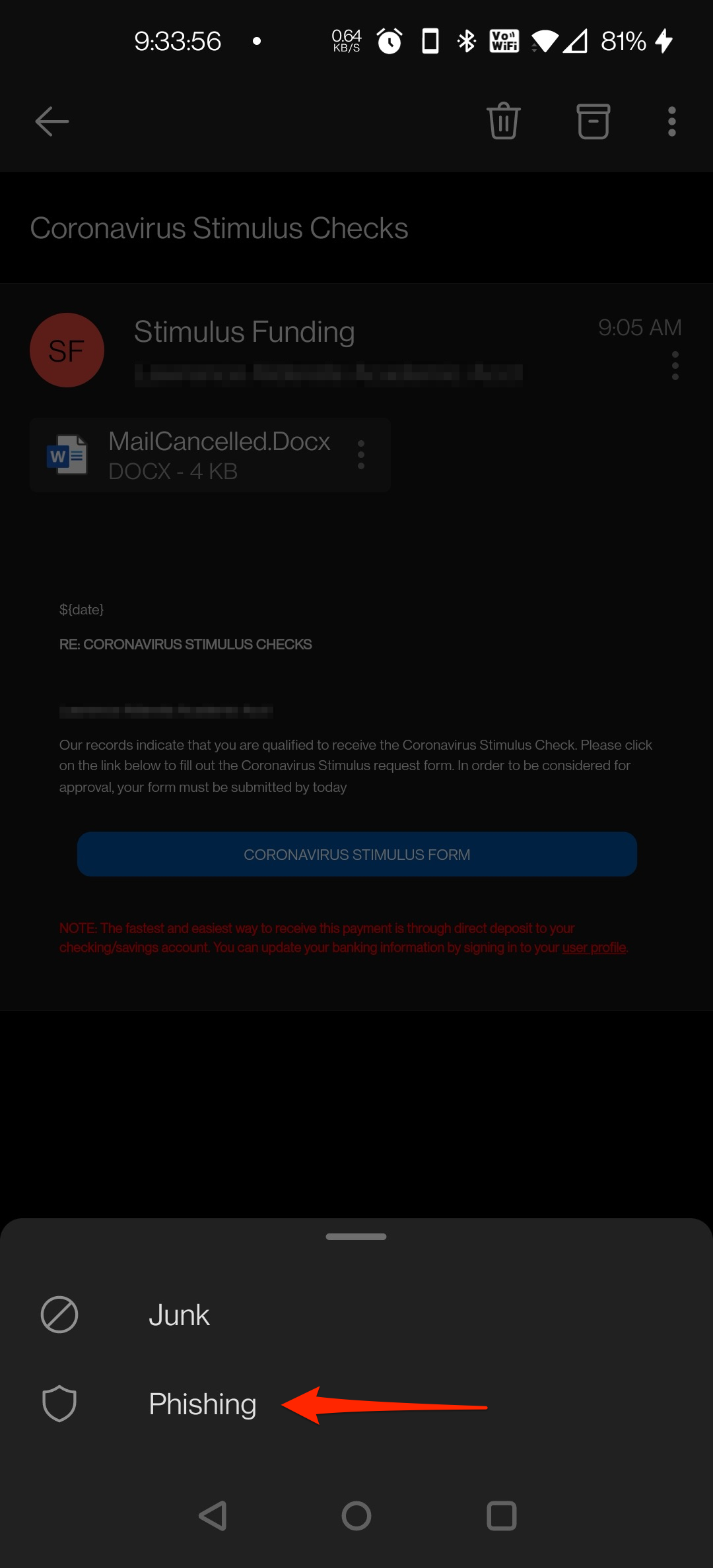
Step #3
In the second context menu, select the 'Junk' option
You're done!
Outlook for iOS
To report junk email using Outlook for iOS, follow the four (4) steps below:
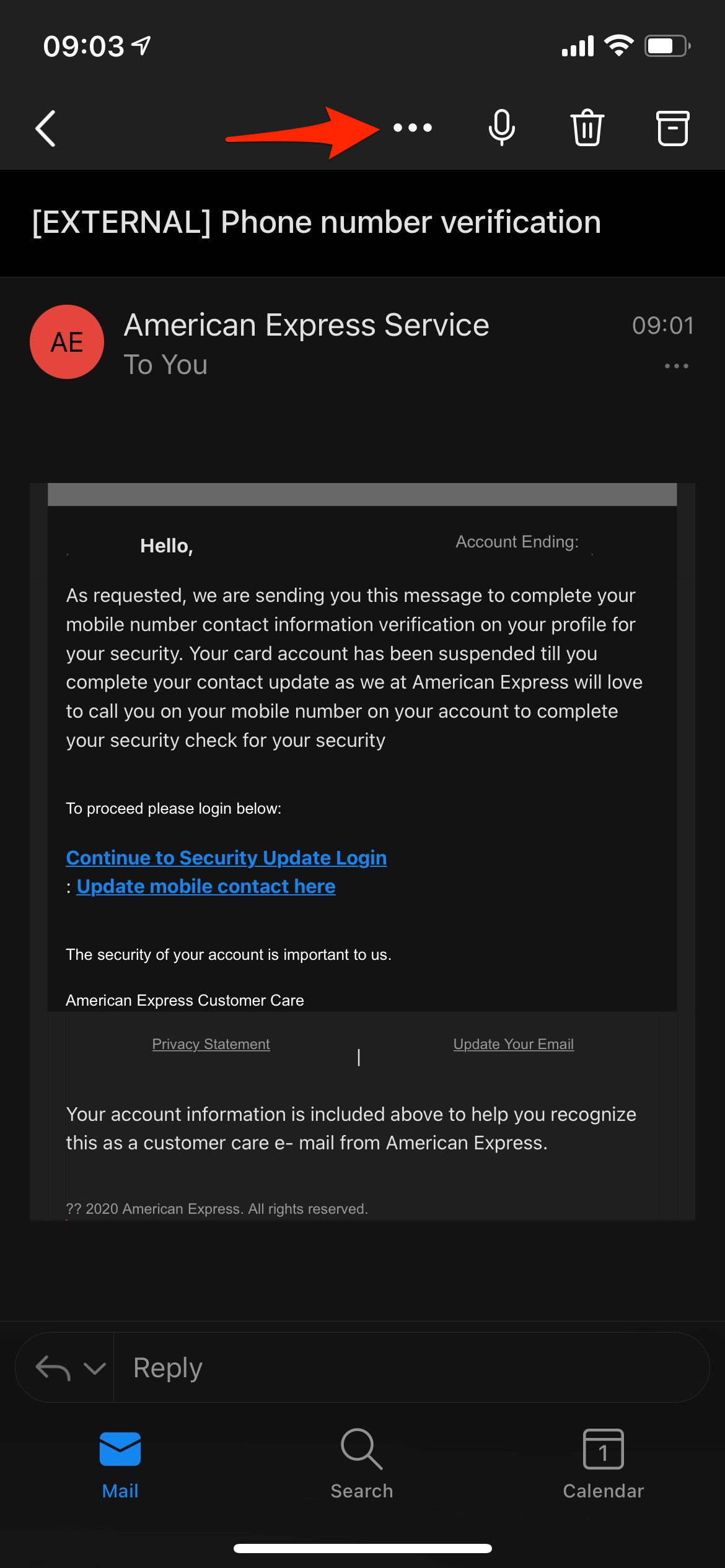
Step #1
Select the ellipsis (three horizontal dots)
Step #2
In the context menu, select the 'Report Junk' option
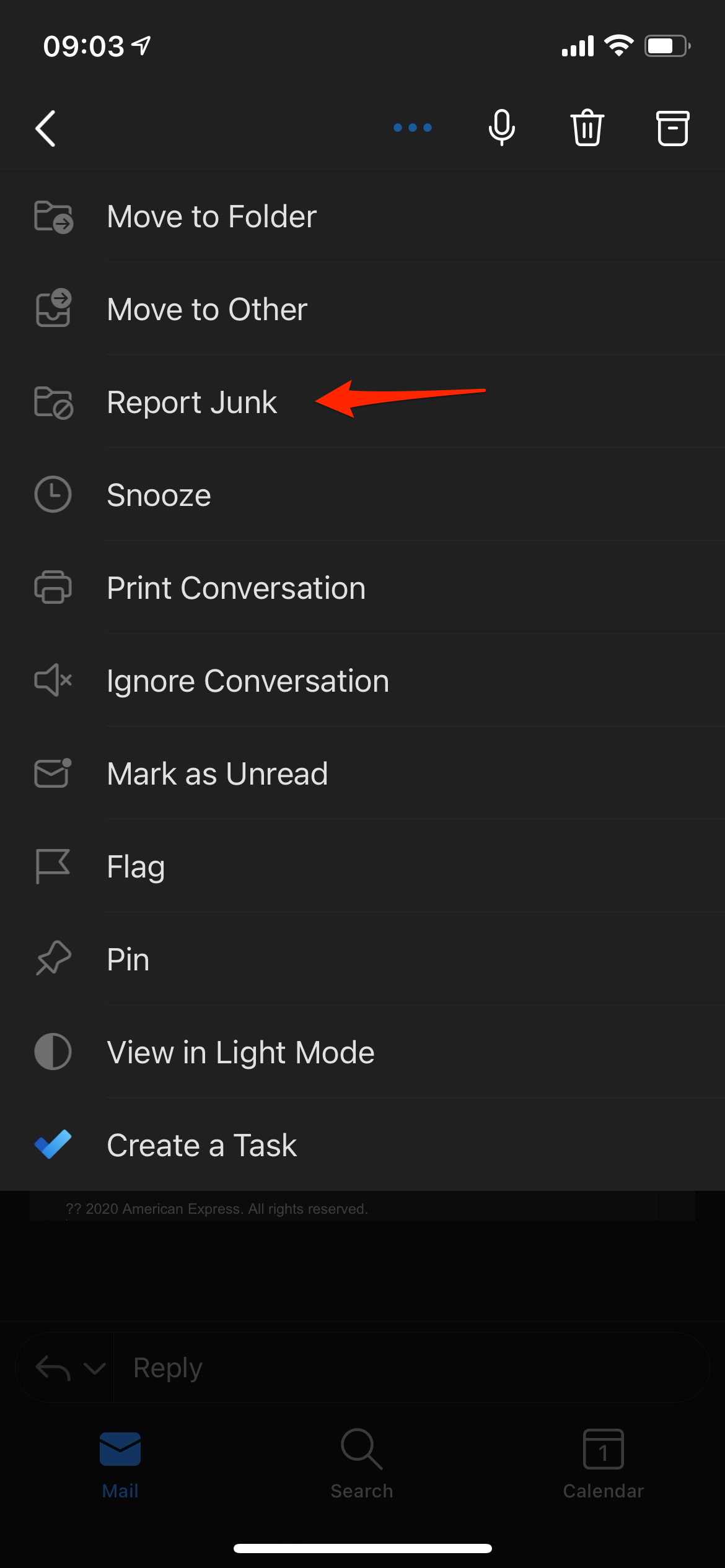
Step #3
In the second context menu, select the 'Phishing' option
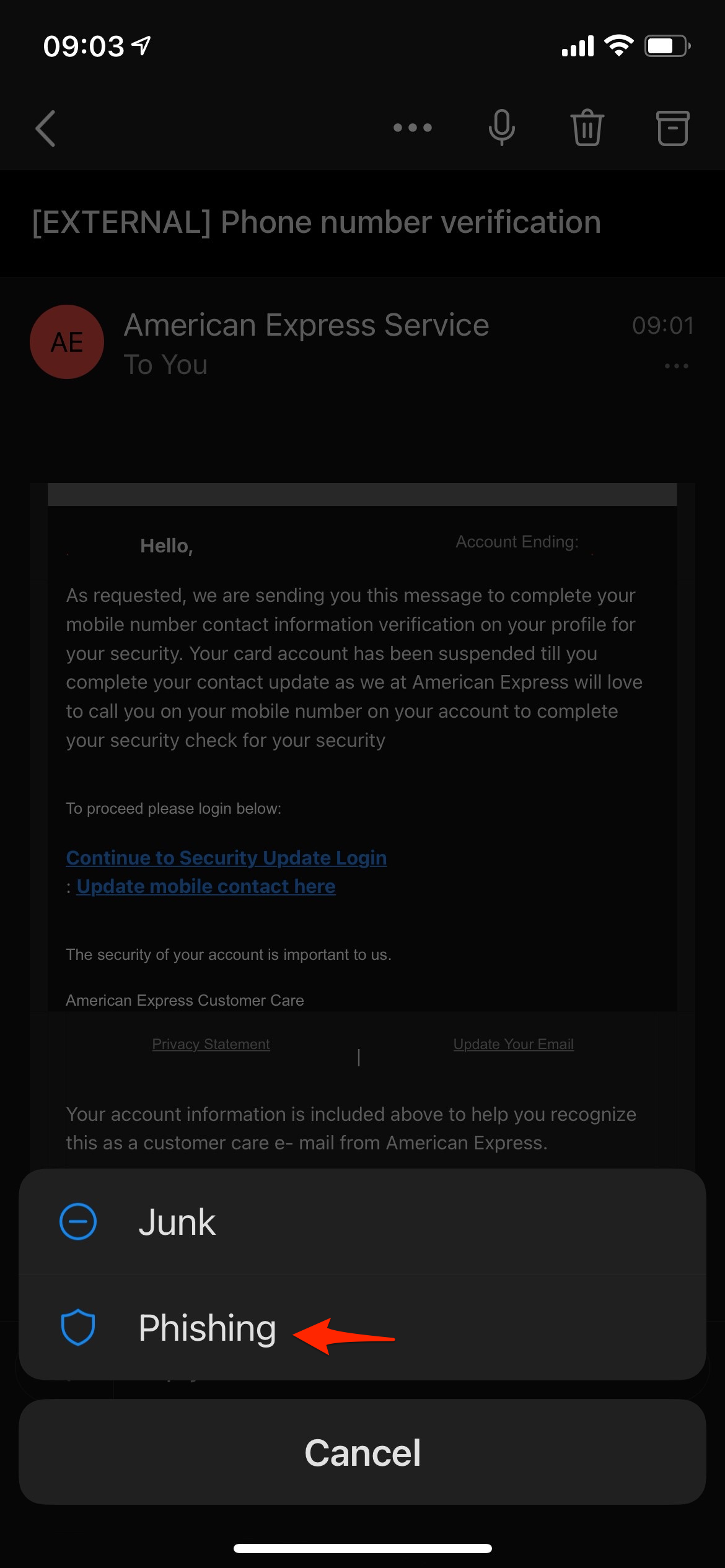
Step #4
In the modal dialog, select 'Report' option
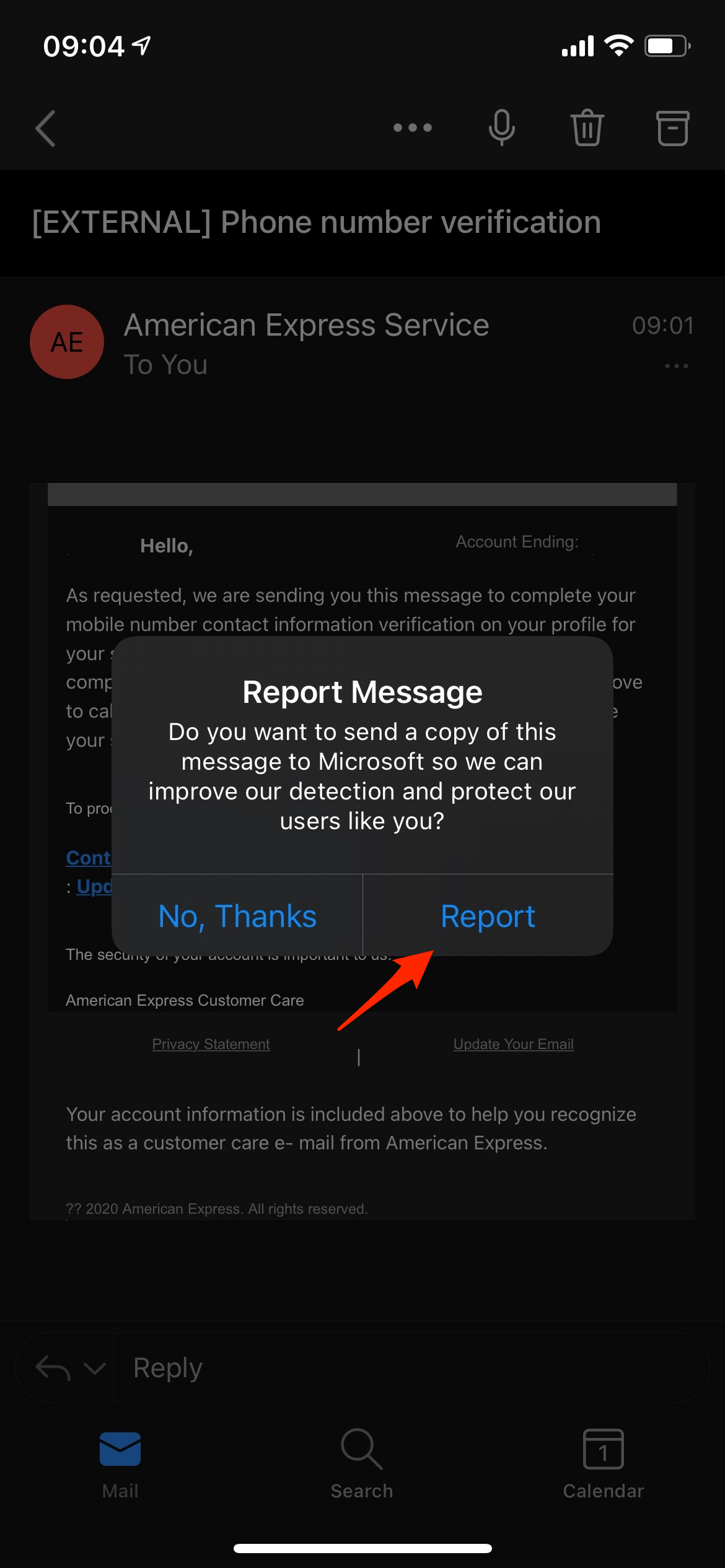
You're done!
Outlook for Mac
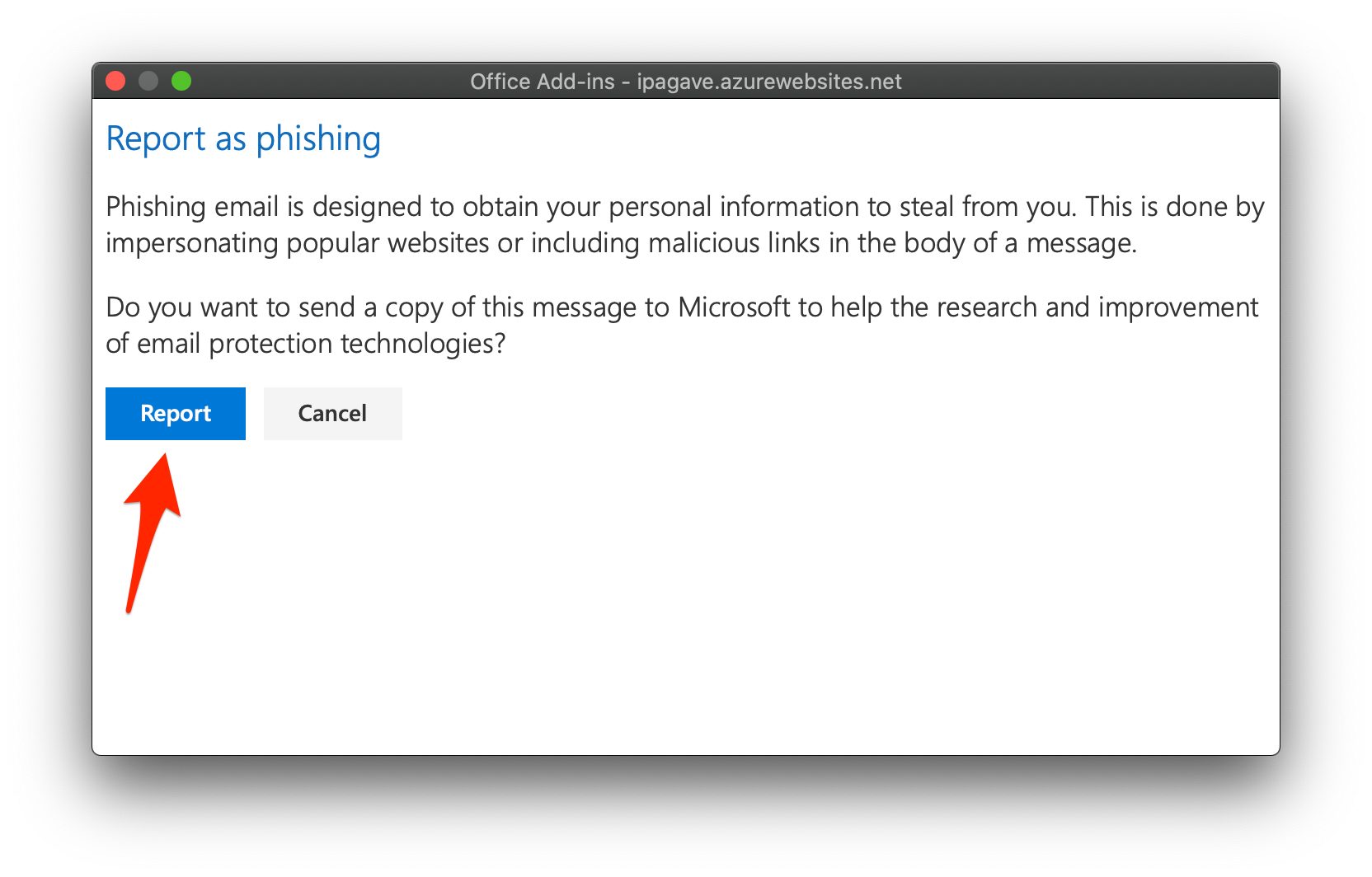
To report phishing email using Outlook for Mac, follow the three (3) steps below:
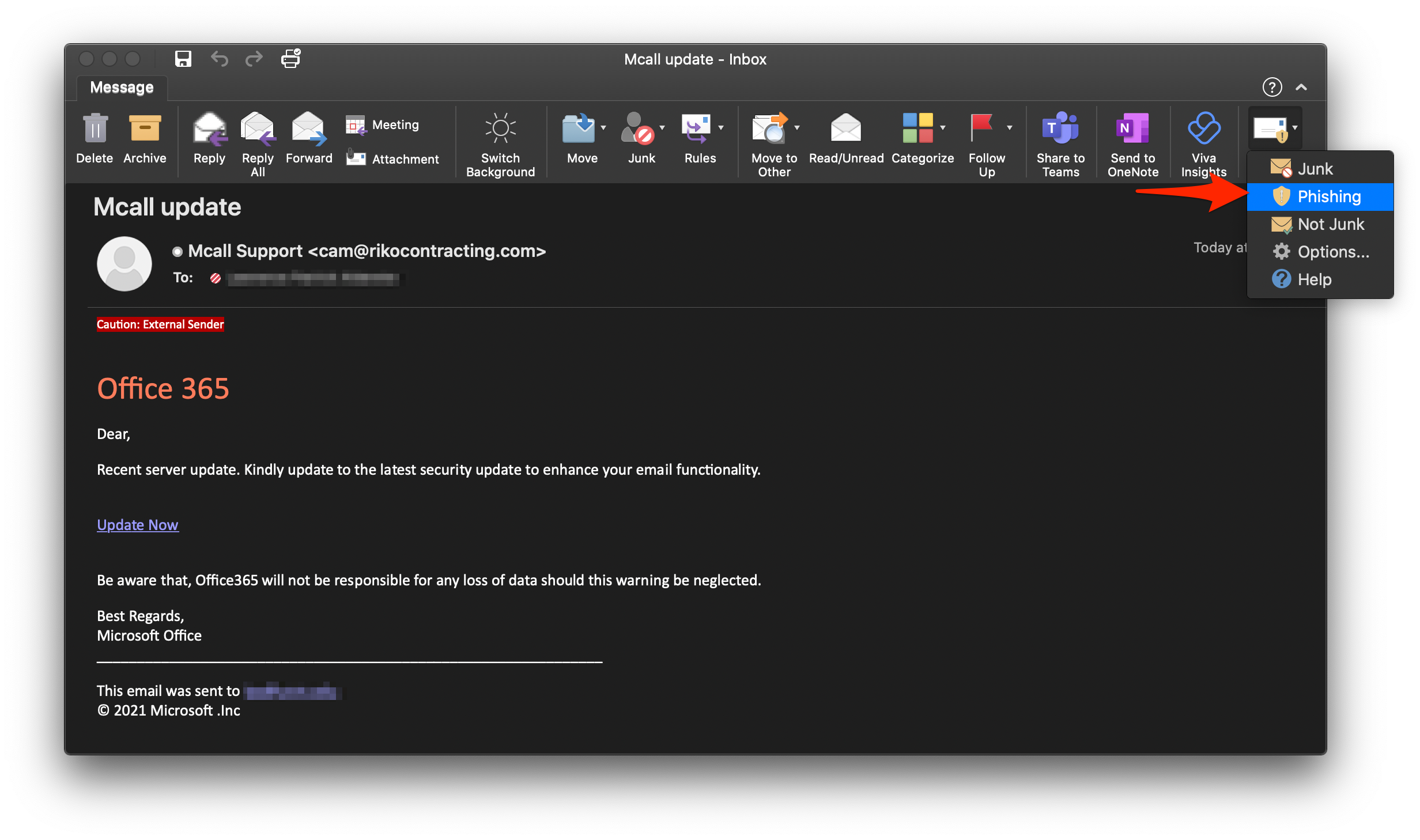
Steps #1 and #2
Select the 'Report Message' icon, then select the 'Phishing' option
Step #3
In the 'Report as phishing' modal dialog, select the 'Report' option
You're done!
Outlook for Windows
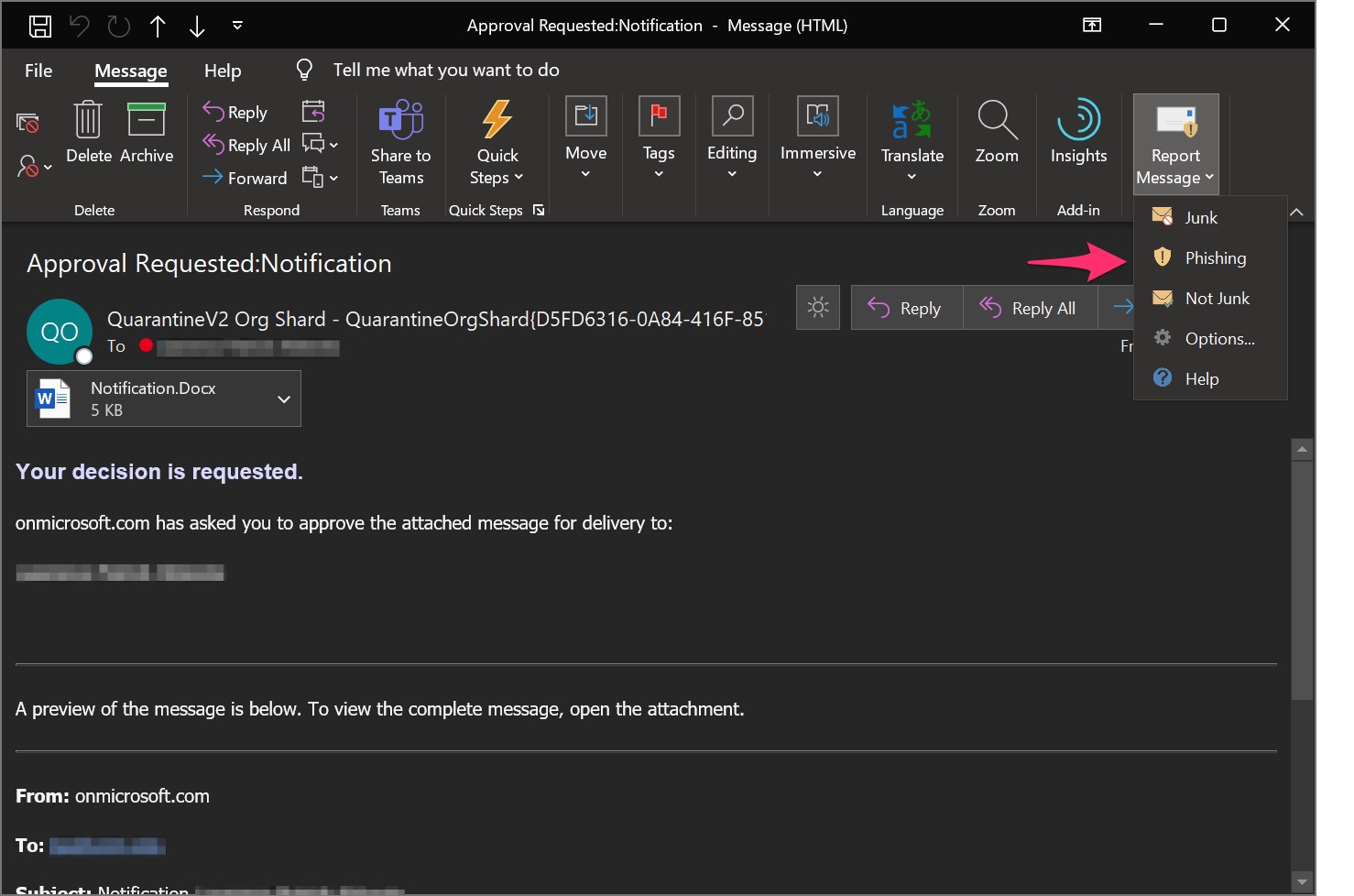
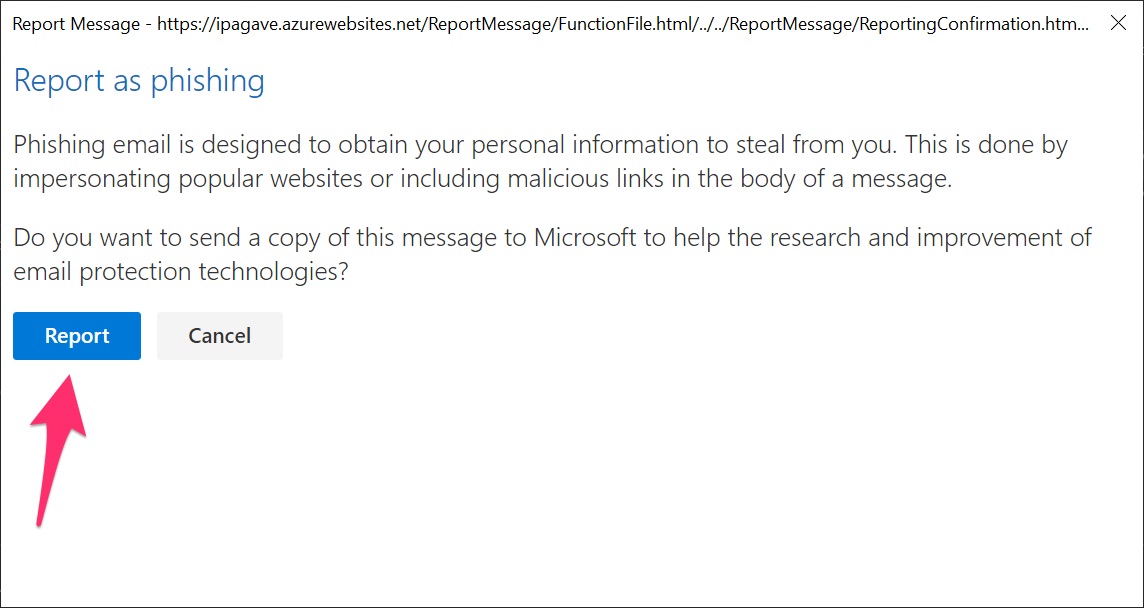
To report phishing email using Outlook for Windows, follow the three (3) steps below:
Steps #1 and #2
Select the 'Report Message' icon, then select the 'Phishing' option
Step #3
In the 'Report as phishing' modal dialog, select the 'Report' option
You're done!
Outlook Web Access
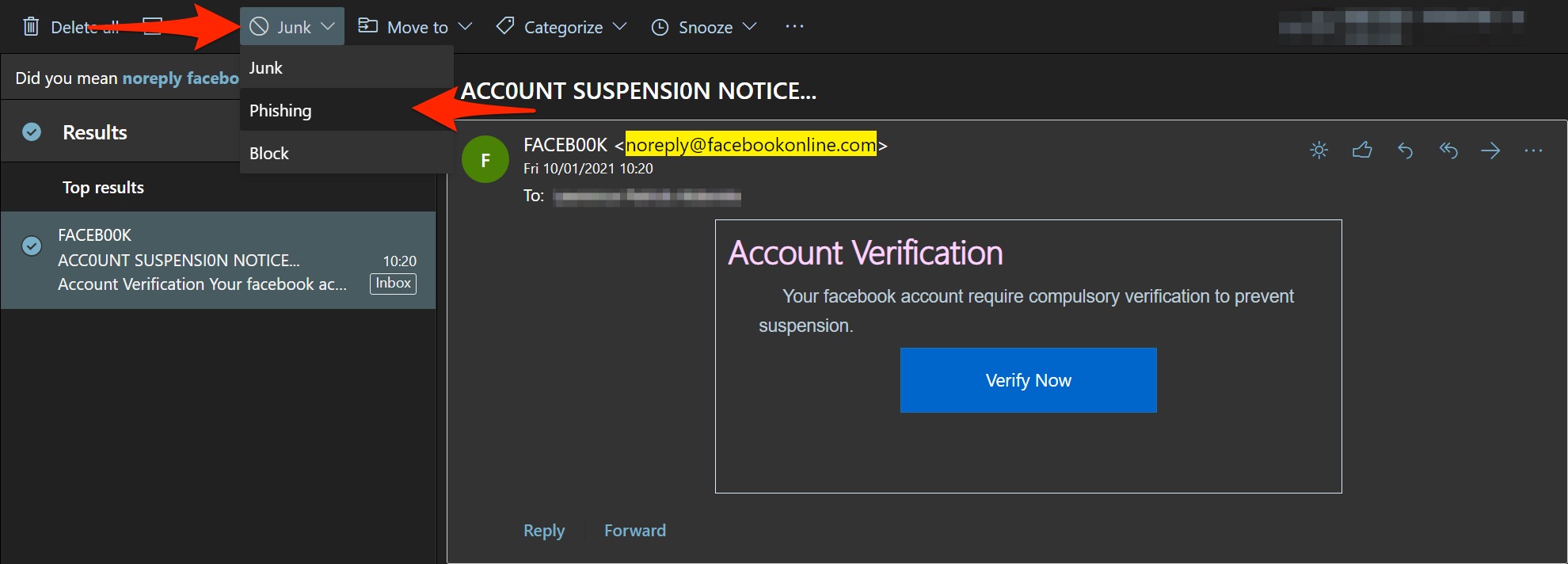
To report phishing email using Outlook Web Access (OWA), follow the two (2) steps below:
Method #1
Steps #1 and #2
Select the 'Junk' icon, then select the 'Phishing' option
You're done!
Outlook for Android
To report phishing email using Outlook for Android, follow the three (3) steps below:
Step #1
Select the vertical ellipsis (three vertical dots)
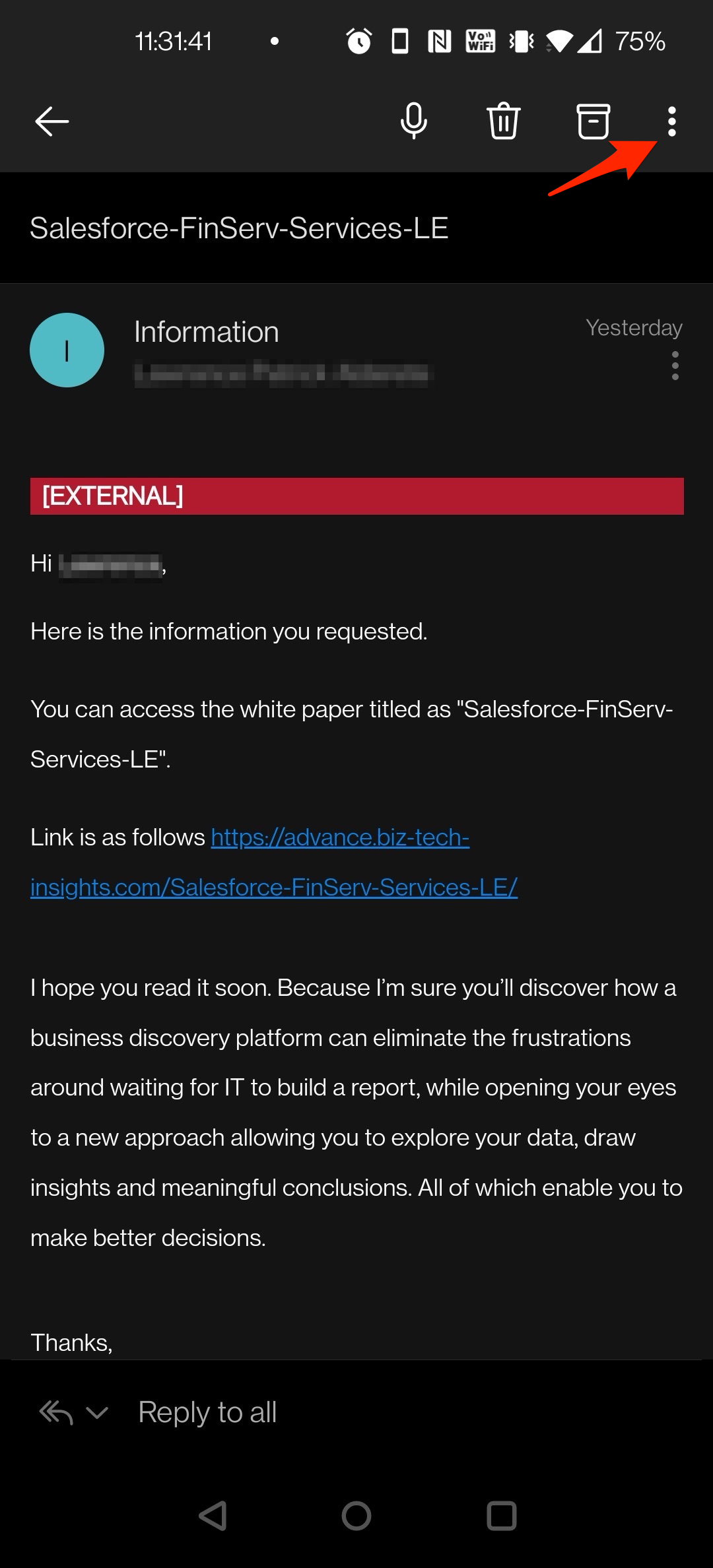
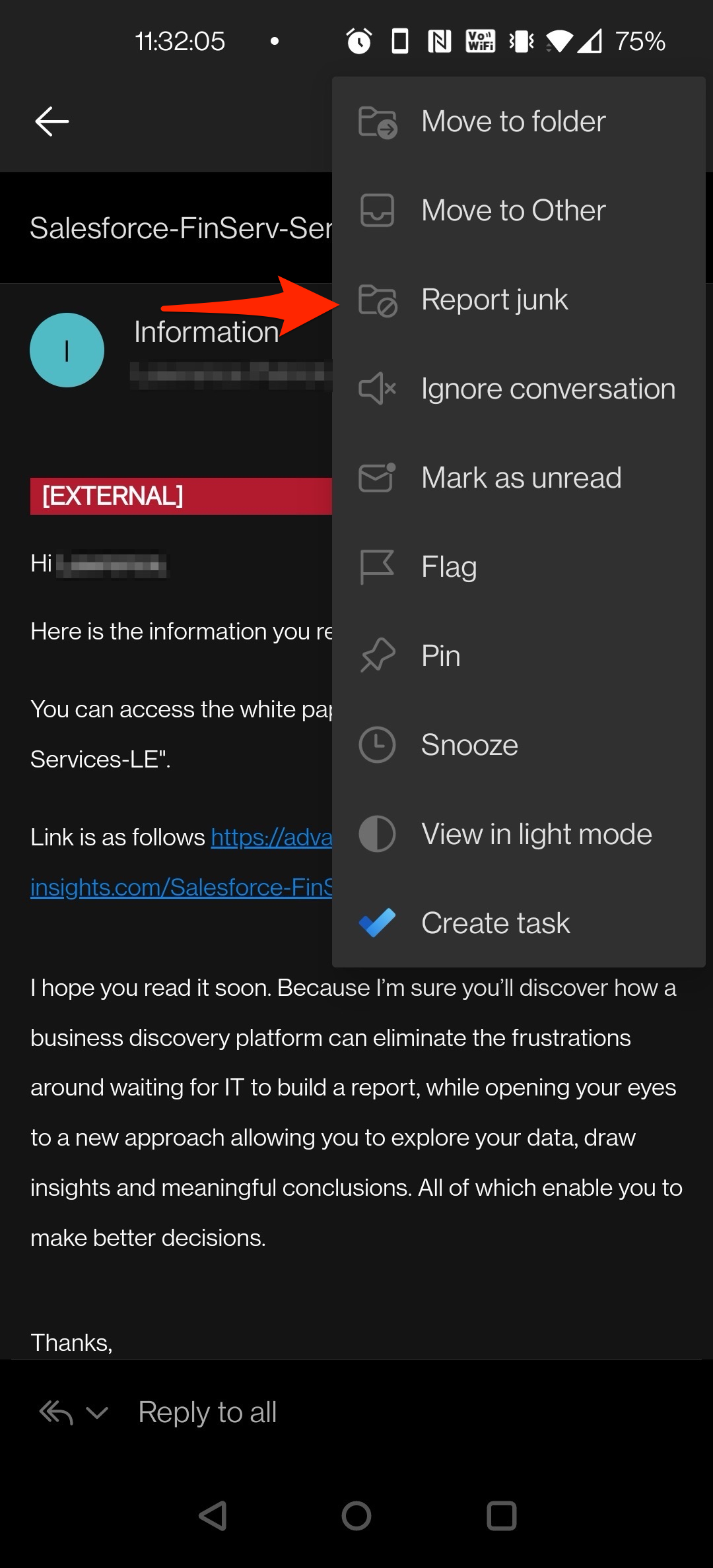
Step #2
In the context menu, select the 'Report junk' option
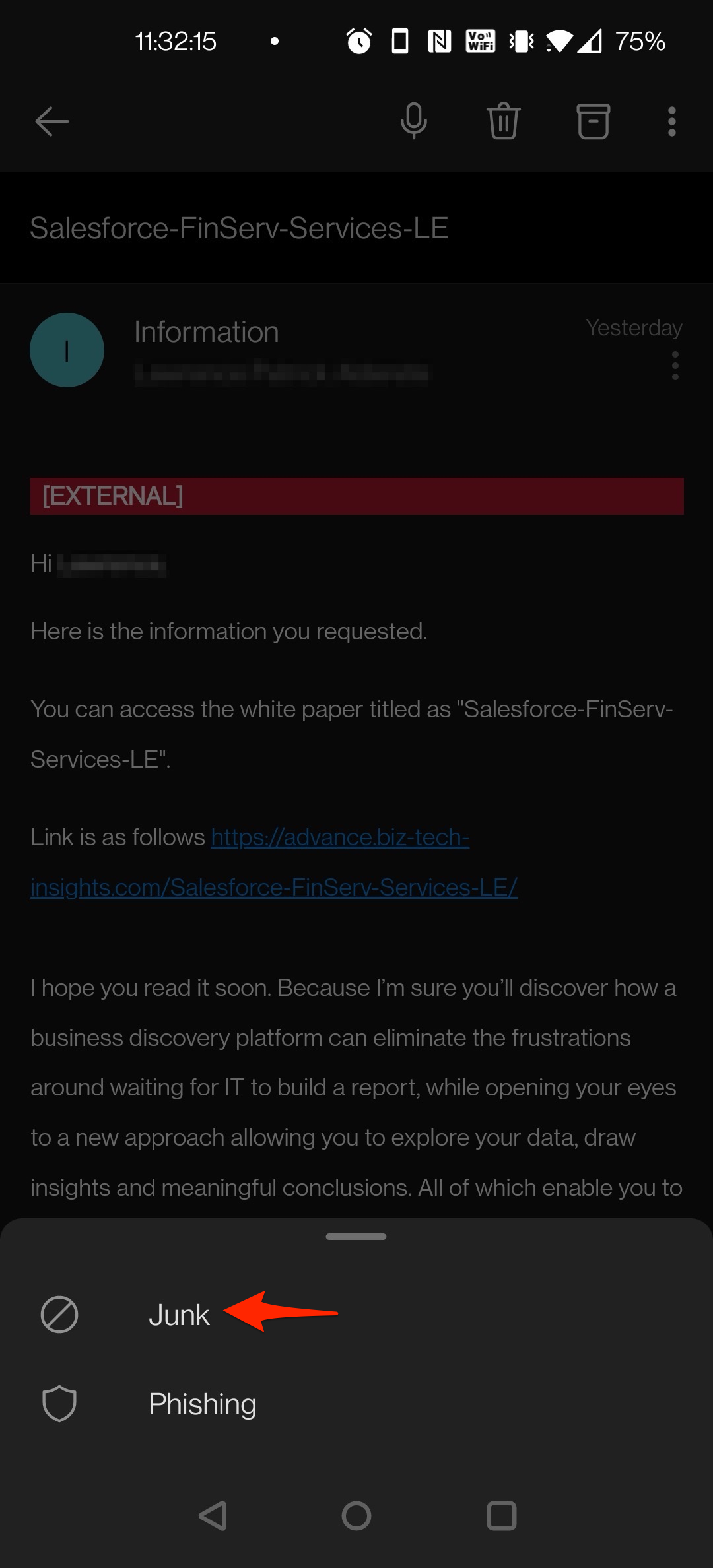
Step #3
In the second context menu, select the 'Phishing' option
You're done!
Outlook for iOS
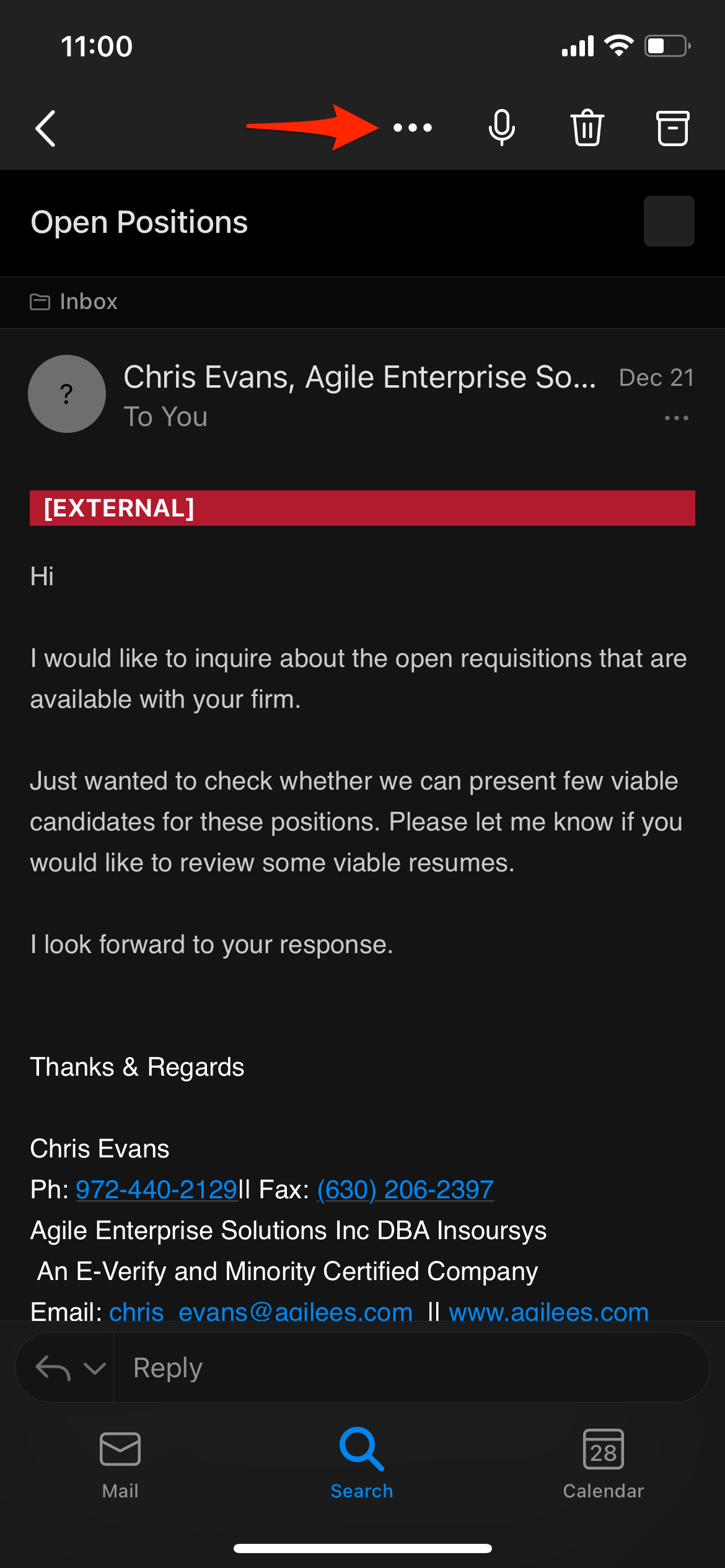
To report phishing email using Outlook for iOS, follow the four (4) steps below:
Step #1
Select the ellipsis (three horizontal dots)
Step #2
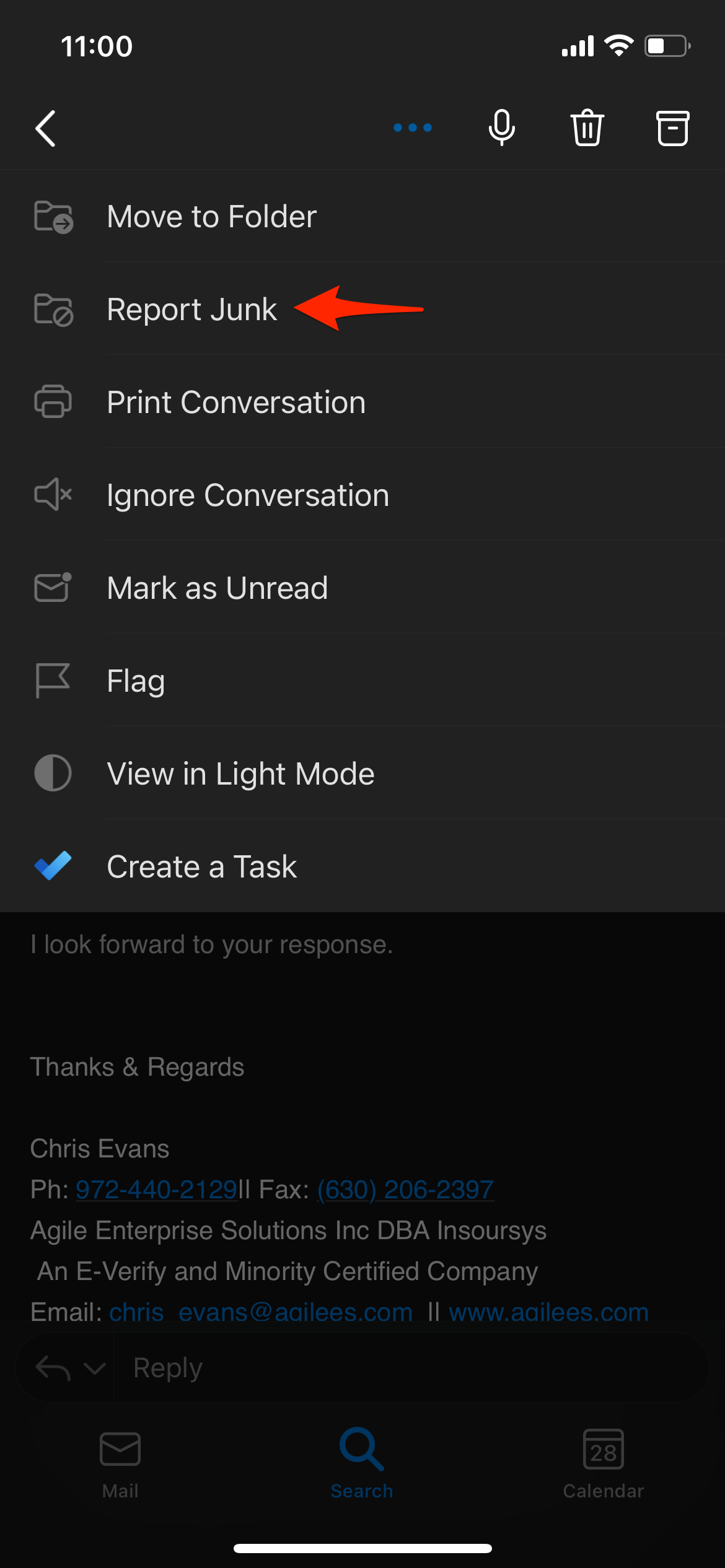
In the context menu, select the 'Report Junk' option
Step #3
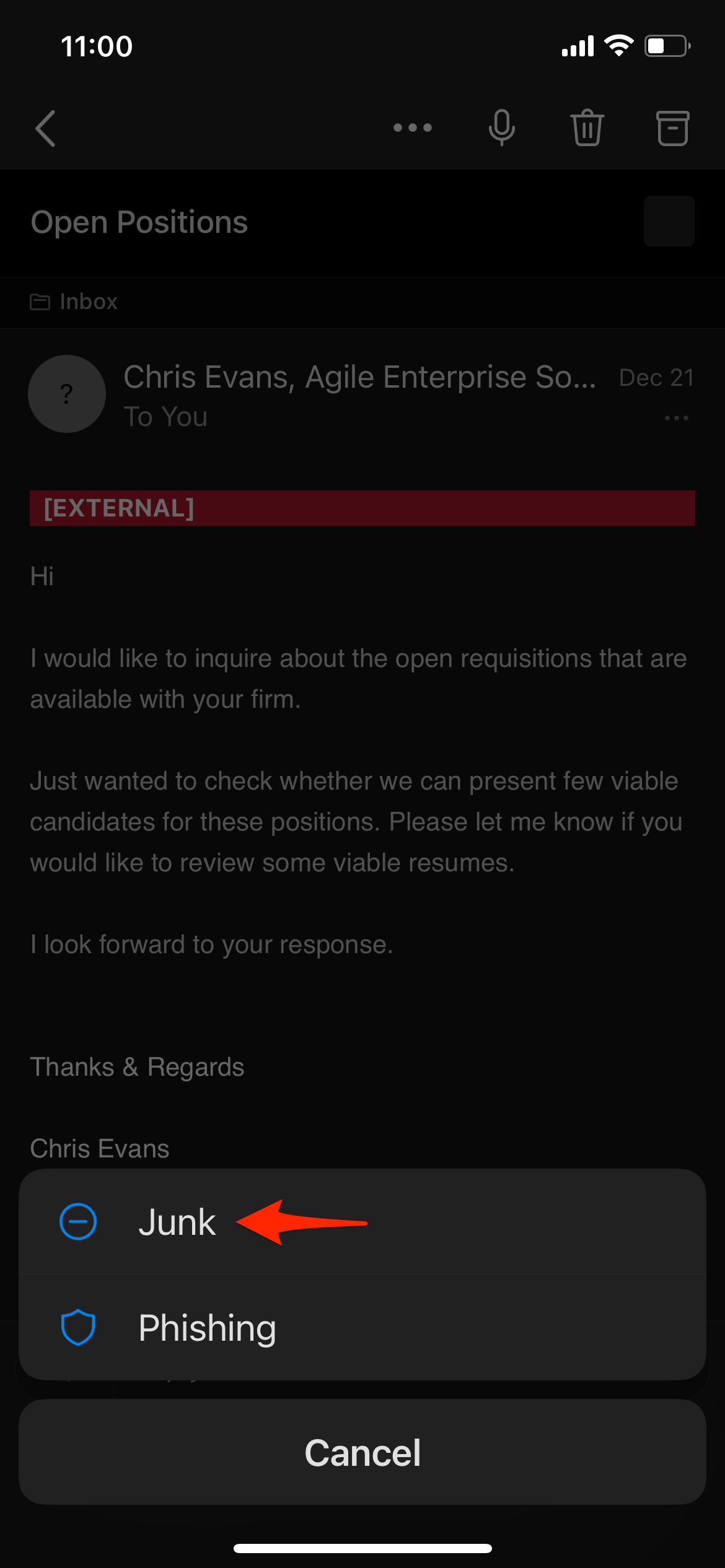
In the second context menu, select the 'Phishing' option
Step #4
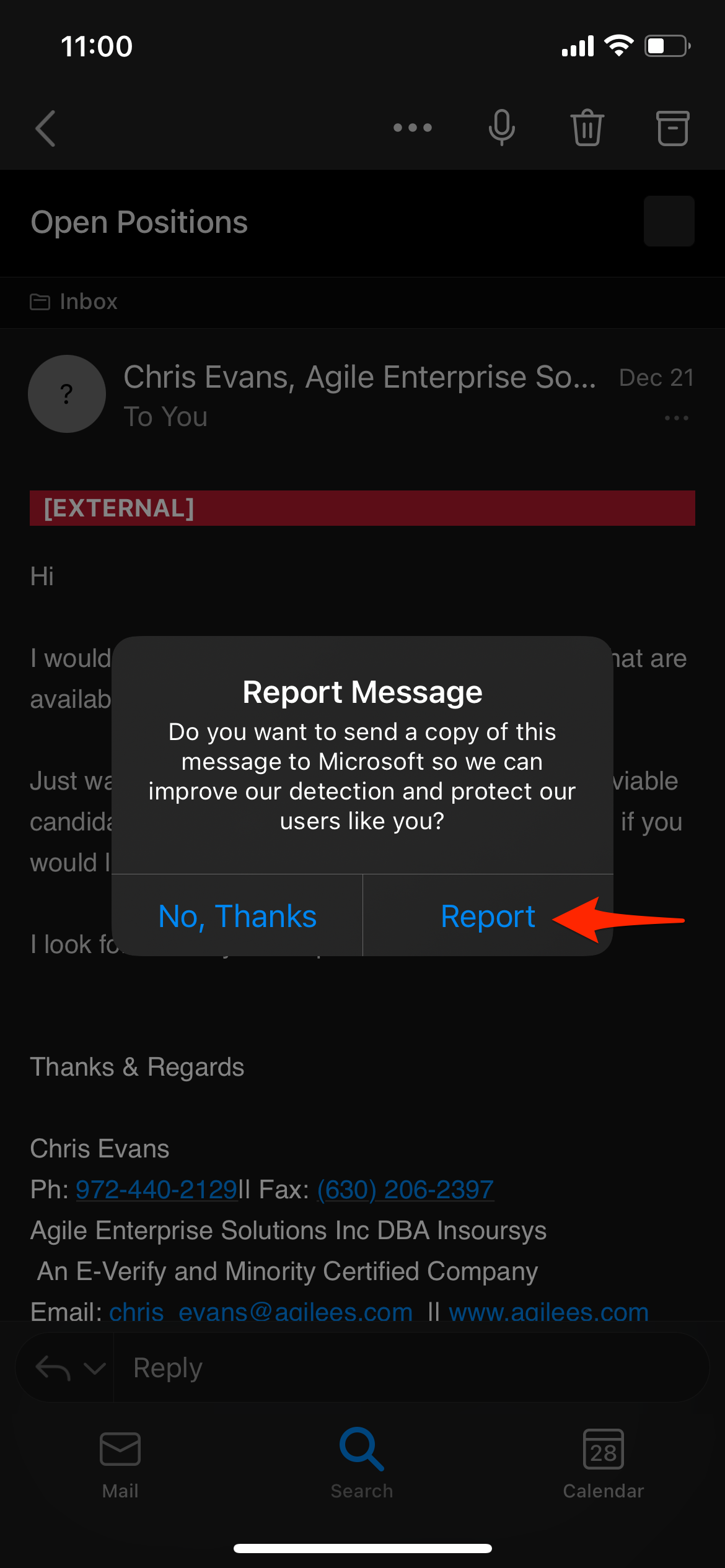
In the modal dialog, select 'Report' option
You're done!
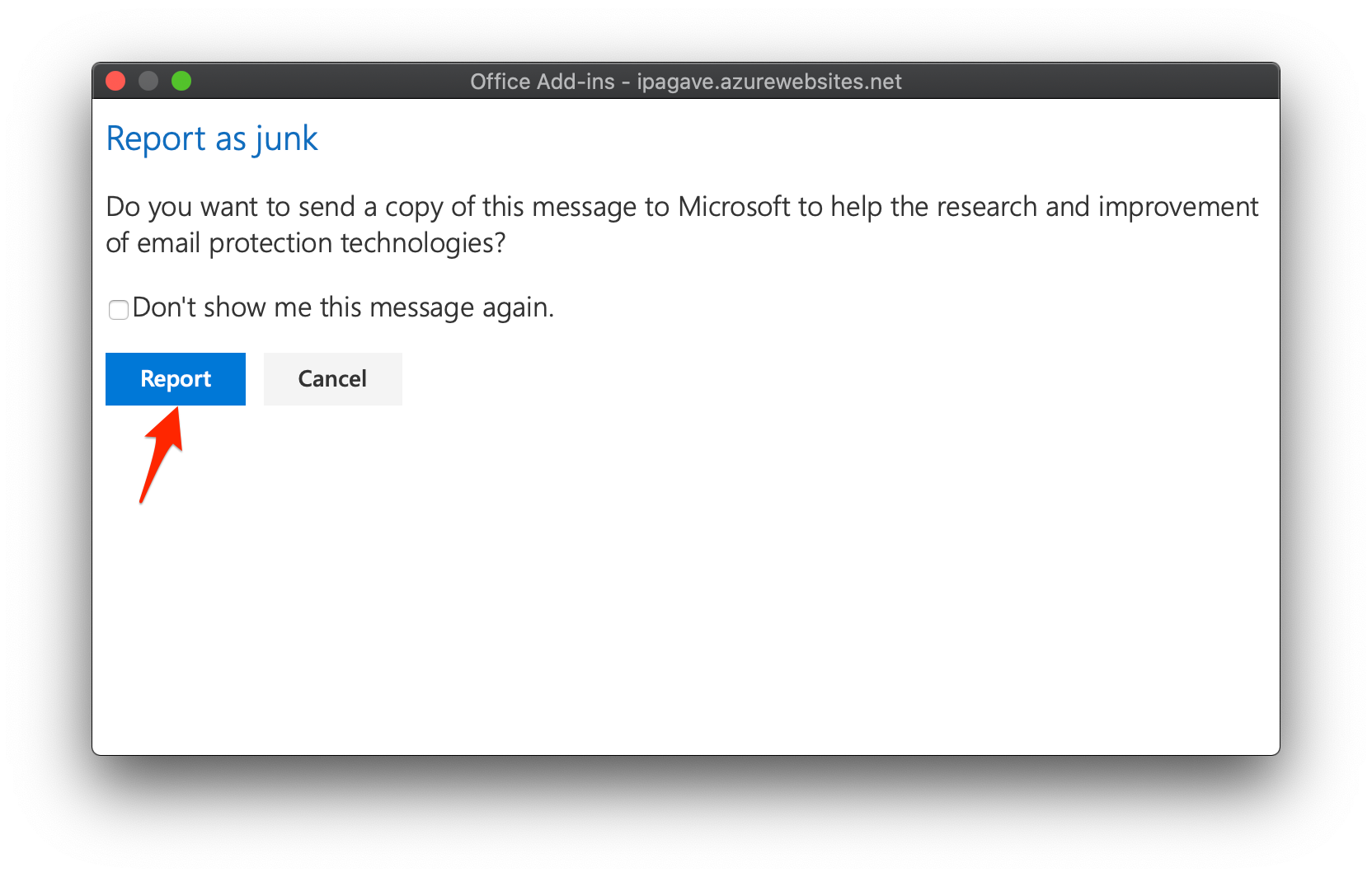
Outlook for Mac
To report phishing email using Outlook for Mac, follow the three (3) steps below:
Steps #1 and #2
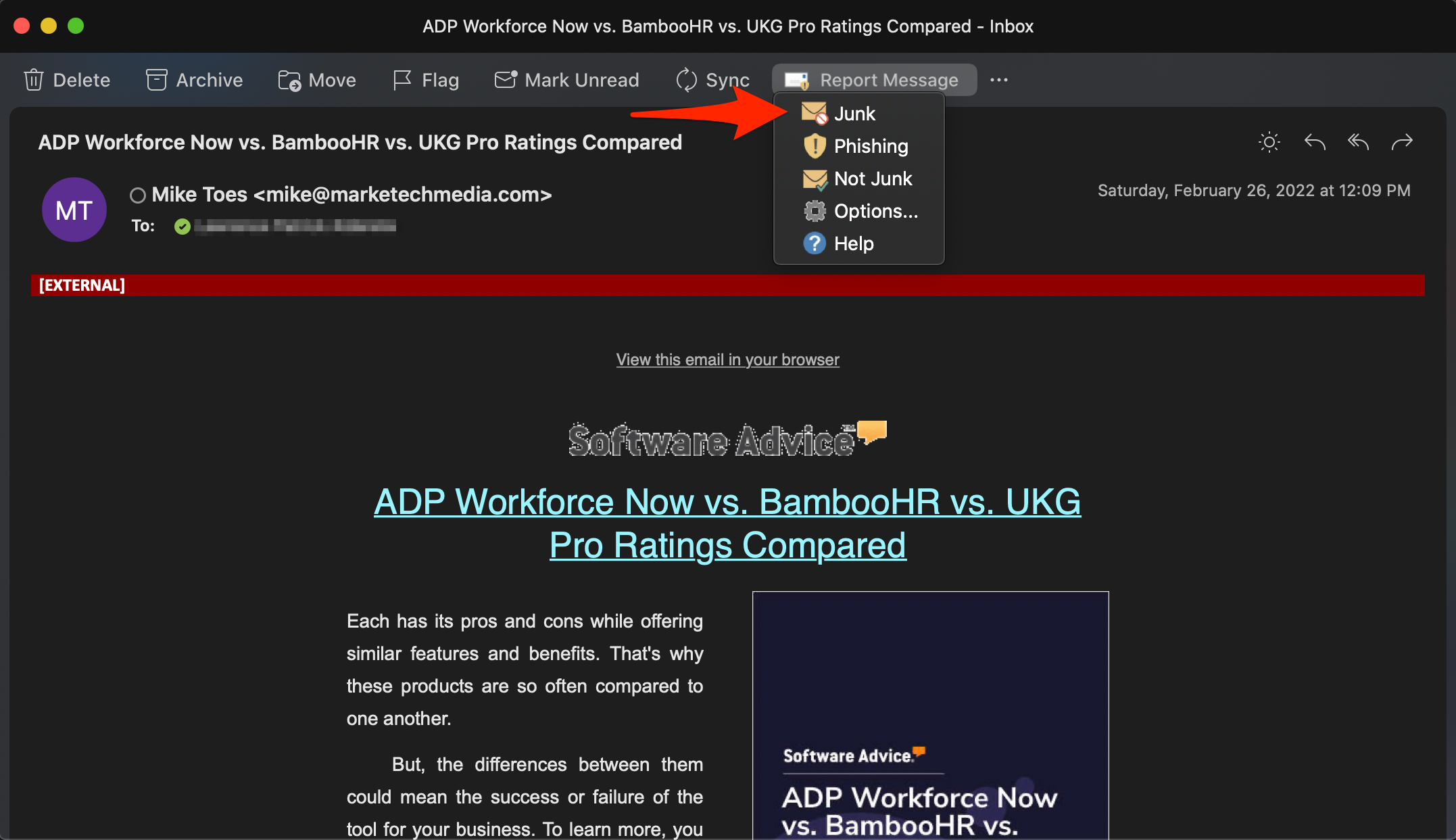
Select the 'Report Message' icon, then select the 'Phishing' option
Step #3
In the 'Report as phishing' modal dialog, select the 'Report' option
You're done!
Outlook for Windows
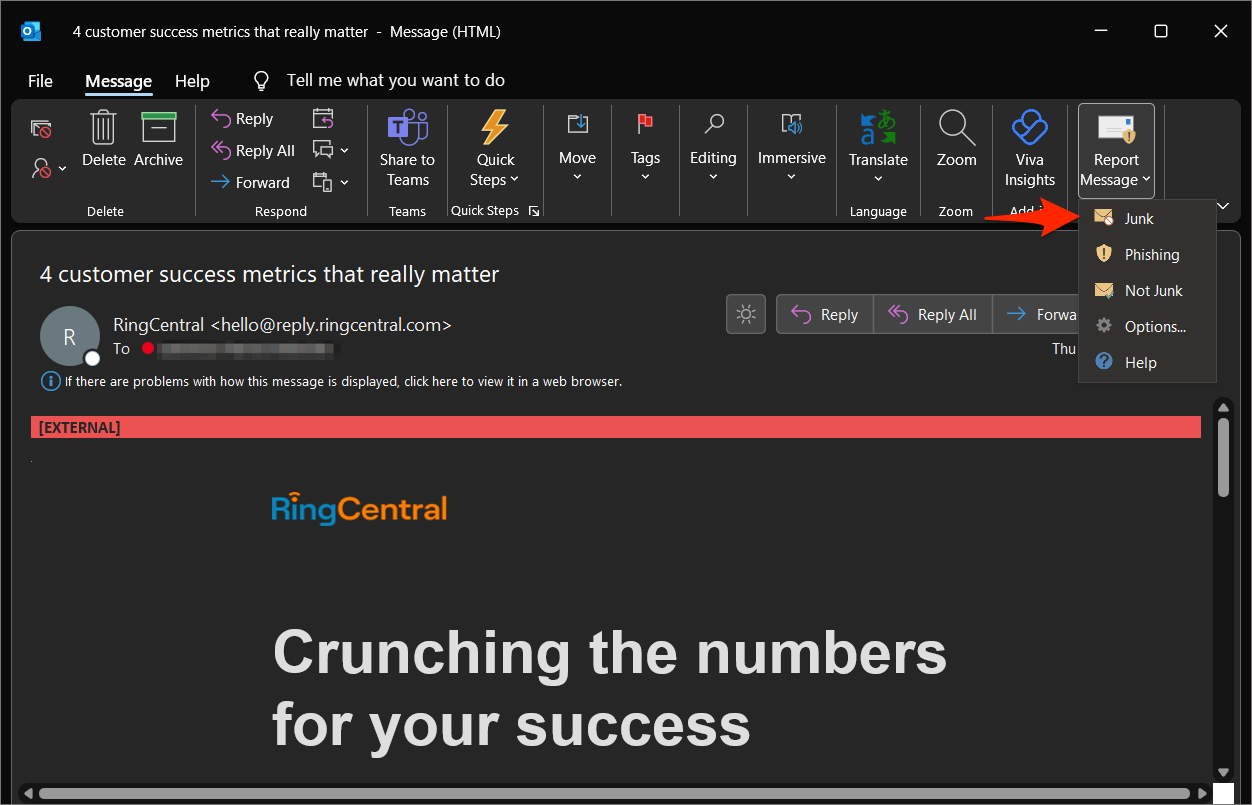
To report phishing email using Outlook for Windows, follow the three (3) steps below:
Steps #1 and #2
Select the 'Report Message' icon, then select the 'Phishing' option
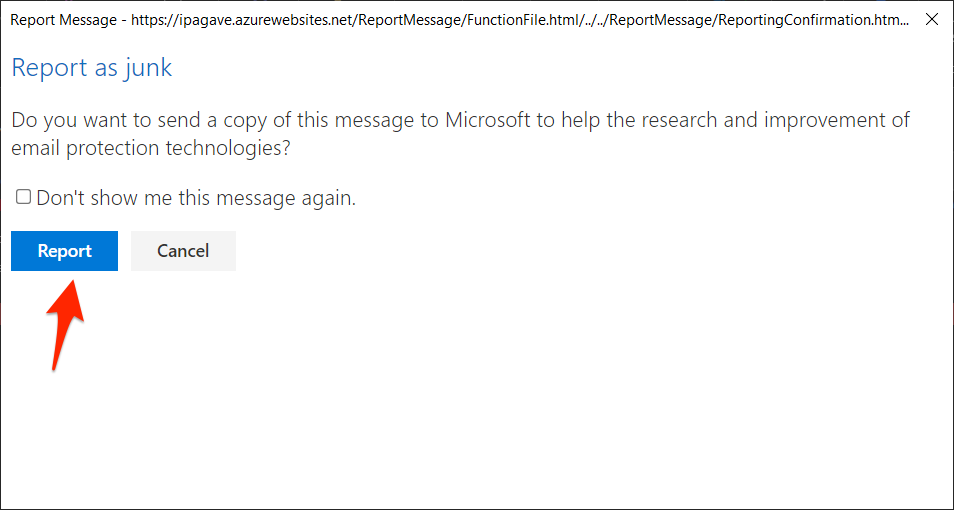
Step #3
In the 'Report as phishing' modal dialog, select the 'Report' option
You're done!
Outlook Web Access
To report phishing email using Outlook Web Access (OWA), follow the two (2) steps below:
Method #1
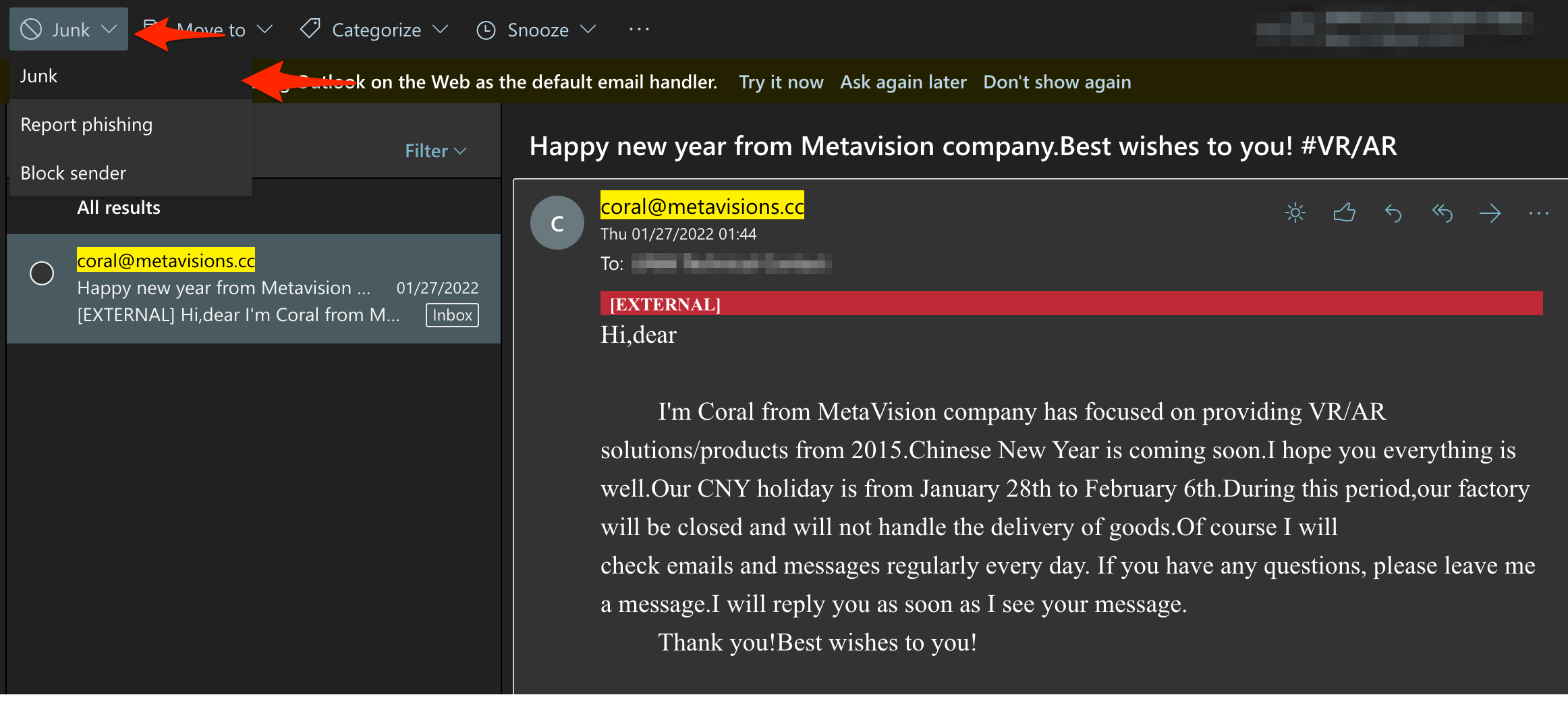
Steps #1 and #2
Select the 'Junk' icon, then select the 'Phishing' option
You're done!
If you have questions or would like to provide feedback regarding this document, please use ServiceNow to submit a request to ensure your question or feedback is received and tracked.
