Report an Incident
Step 1
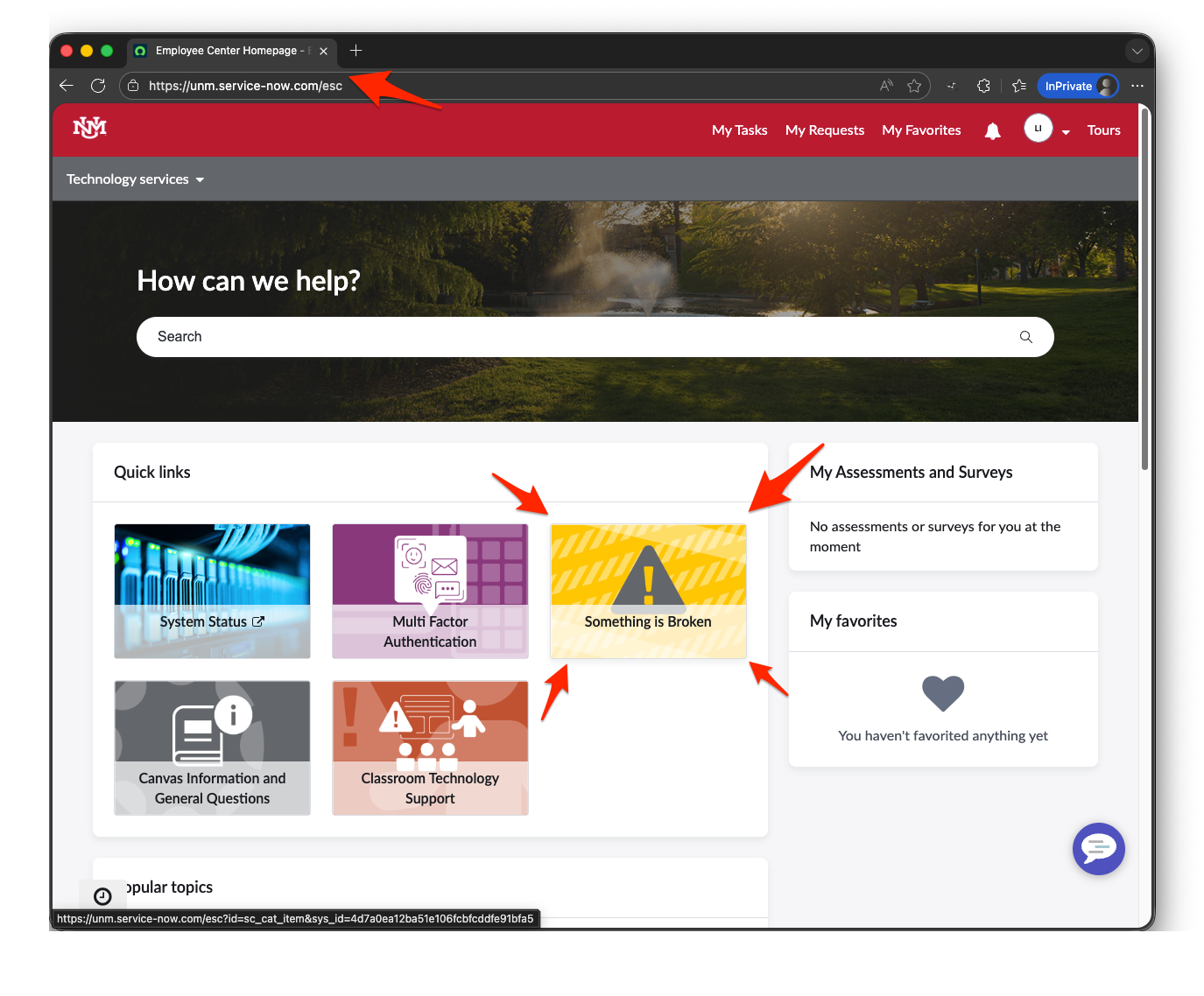
Navigate to ServiceNow Employee Center. Once there, you will want to click on the yellow Quick links icon, "Something is broken"
Step 2
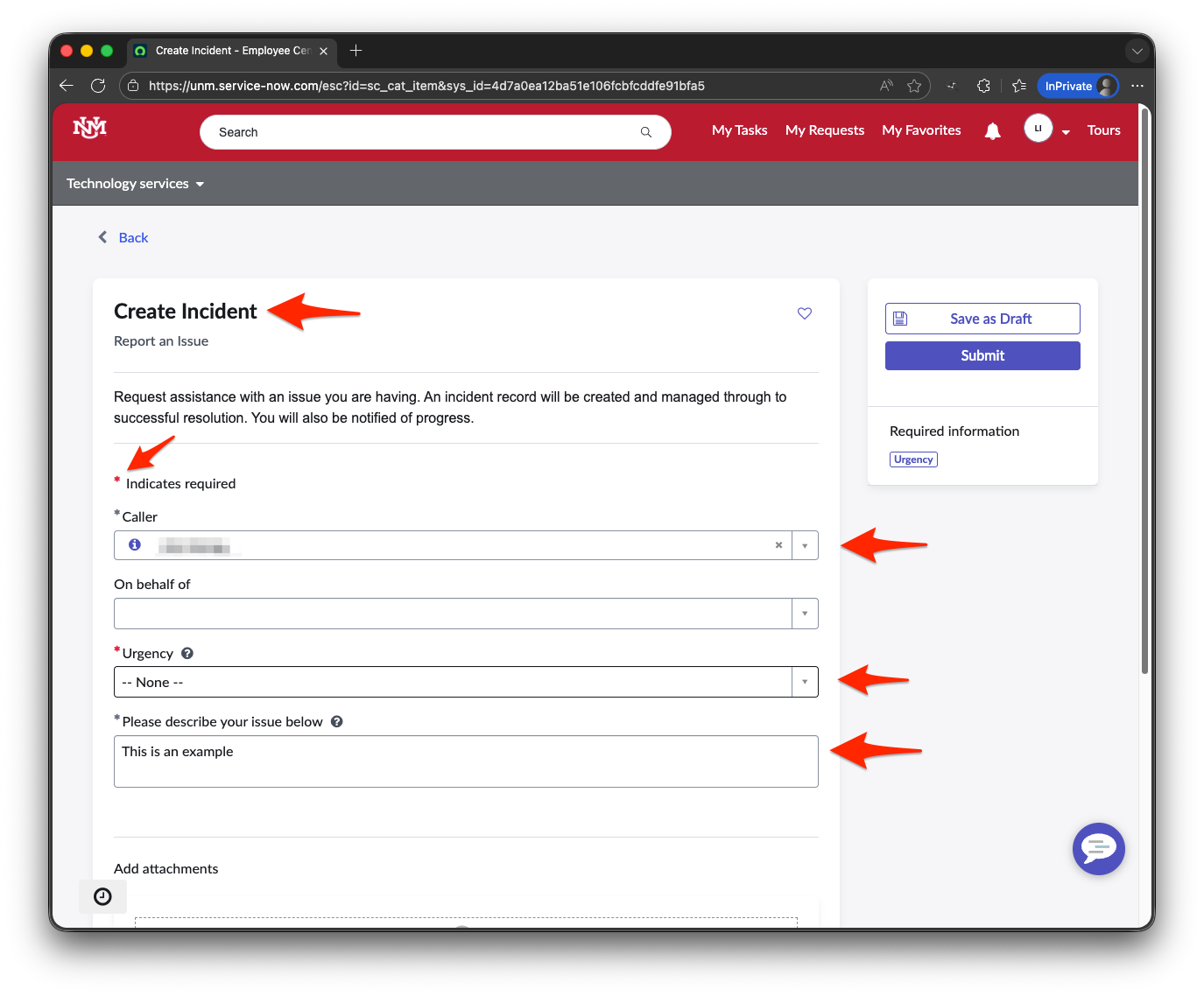
Complete the required information (designated with a red asterisk (*))
Step 3
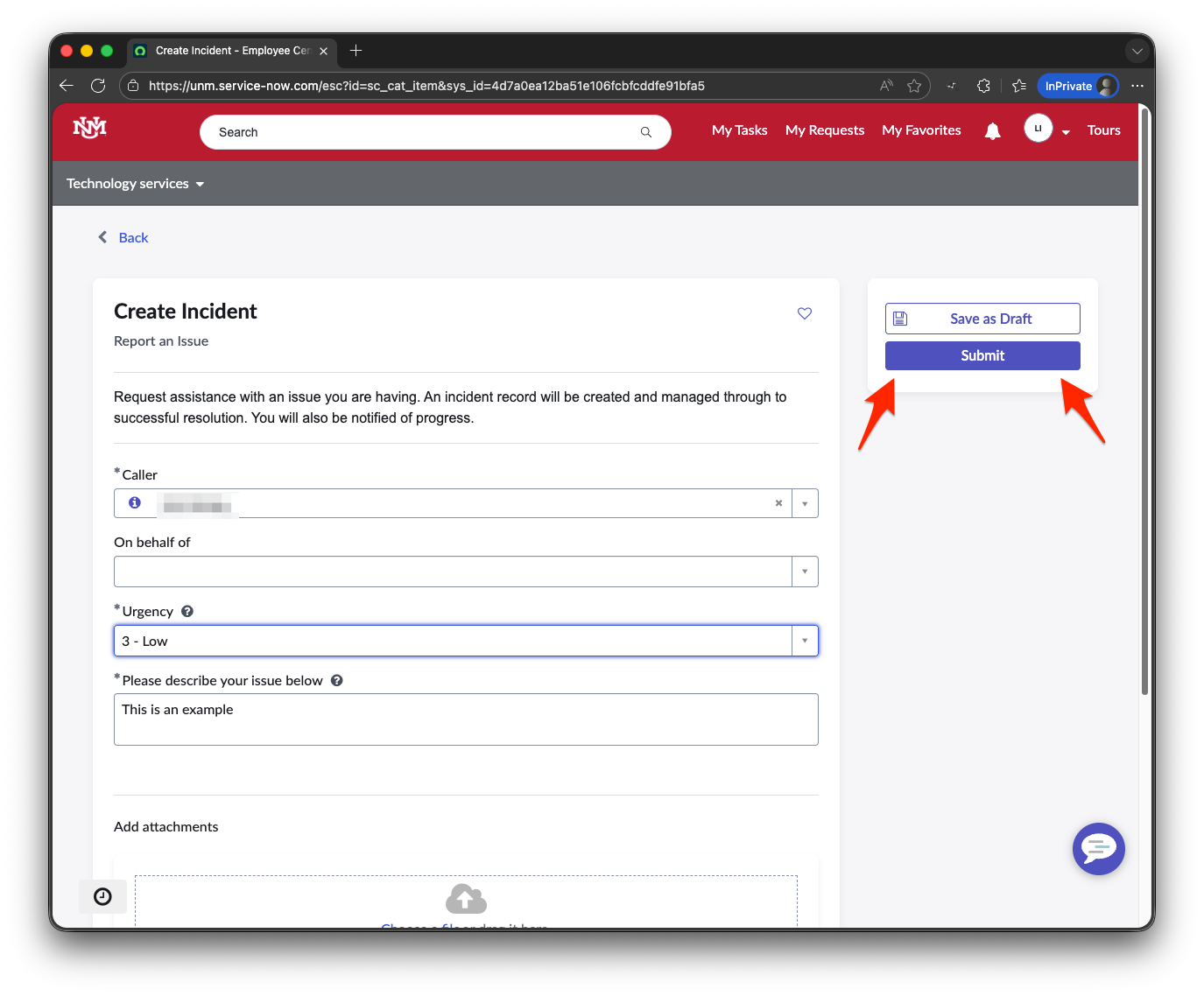
After you have verified information in the required fields to be correct, find and select the purple "Submit" button.
If you have questions or would like to provide feedback regarding this document, please use ServiceNow to submit a request to ensure your question or feedback is received and tracked.
